

@codeqr/analytics is a lightweight (~1kb), open-source client-side script for tracking conversion events with CodeQR.
The script handles the detection of the cq_id query parameter and storing it as a first-party cookie, which will be used to attribute subsequent conversion events to the original link.
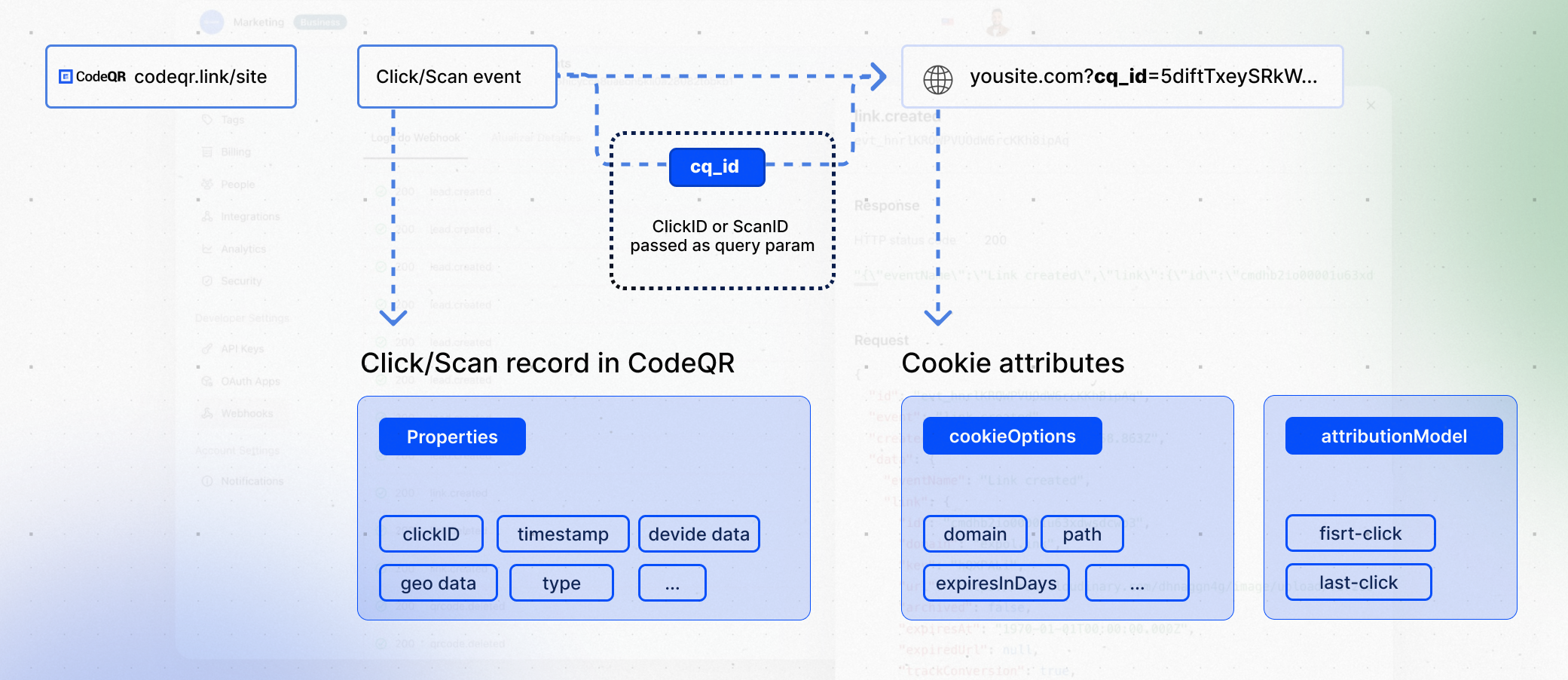
?via=john). This gives you the flexibility to track clicks directly on your website or app, without needing to rely on link redirects.
Installation guides
You can install the@codeqr/analytics script in several different ways:
React
Add CodeQR Analytics to your React app
Manual installation
Add CodeQR Analytics to your website
Framer
Add CodeQR Analytics to your Framer site
WordPress
Add CodeQR Analytics to your WP site
Webflow
Add CodeQR Analytics to your Webflow site
Features
The@codeqr/analytics script comes with the following features:
Properties
You can pass the following props to the@codeqr/analytics script to customize its behavior:
url
default:"https://api.codeqr.io"
The base URL for the CodeQR API. This is useful for setting up reverse
proxies to avoid
adblockers.
first-click | last-click
default:"last-click"
The attribution model to use for the analytics event. The following
attribution models are available:
first-click: The first click model gives all the credit to the first touchpoint in the customer journey.last-click: The last click model gives all the credit to the last touchpoint in the customer journey.
JSON-stringified object
Custom properties to pass to the cookie. Refer to
MDN’s Set-Cookie documentation for
all available options.
JSON-stringified object
Configure the domains that CodeQR will track. The following properties are available:
string
default:"via"
The query parameter to listen to for client-side click-tracking (e.g.
?via=abc123).Open-source examples
Here are some open-source code examples that you can referece:CodeQR Analytics with Client-side Click Tracking + Reverse Proxy
See the full example on GitHub.
CodeQR Analytics with Geolocation
See the full example on GitHub.