> ## Documentation Index
> Fetch the complete documentation index at: https://docs.codeqr.io/llms.txt
> Use this file to discover all available pages before exploring further.
# Conversion-tracking
> Learn how to use the @codeqr/analytics script to track conversion events
`@codeqr/analytics` is a client-side script for [tracking conversion events](/conversions/quickstart) with CodeQR.
By default, the script handles the detection of the `cq_id` query parameter and storing it as a first-party cookie:
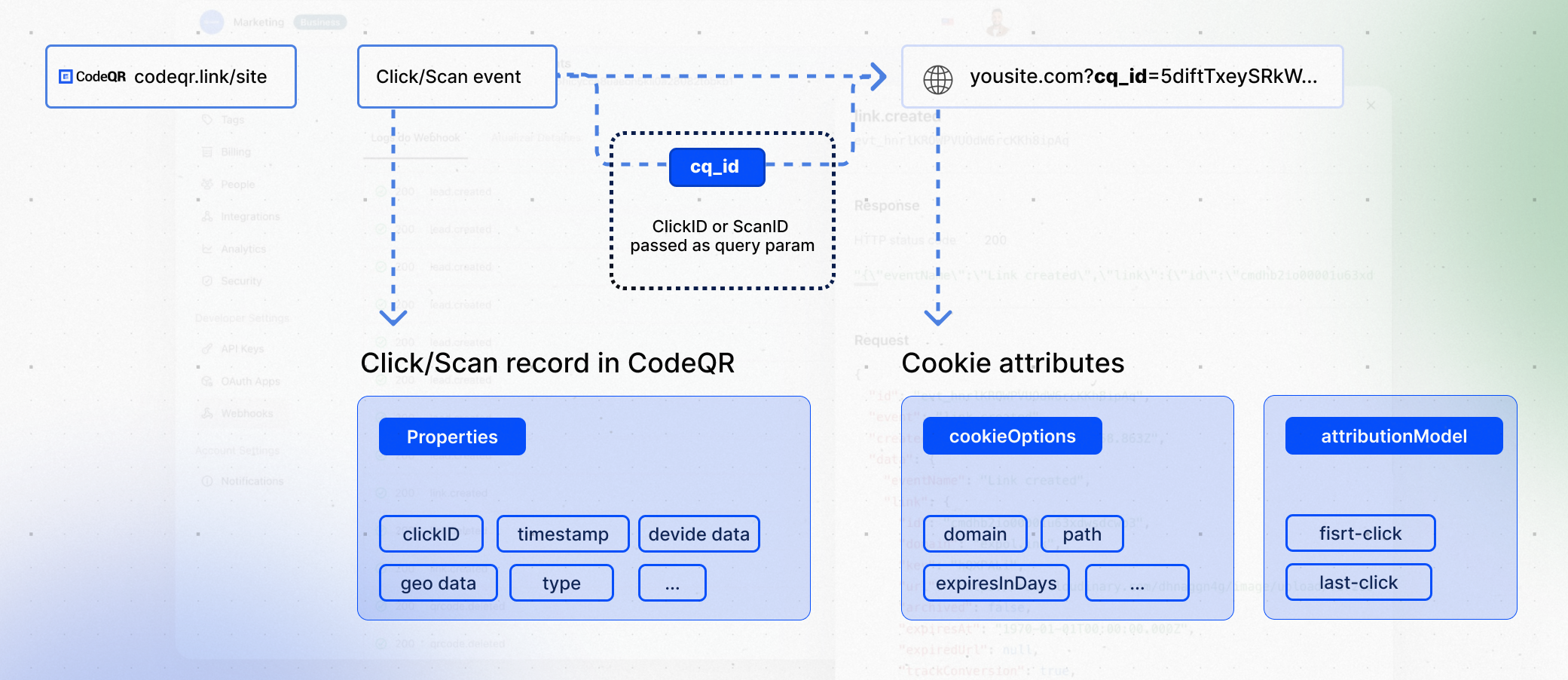 Then, when a conversion event occurs (e.g. a user signs up for an account), you can check for the `cq_id` cookie and attribute the conversion to the original click by [tracking a lead event](/conversions/leads/introduction).
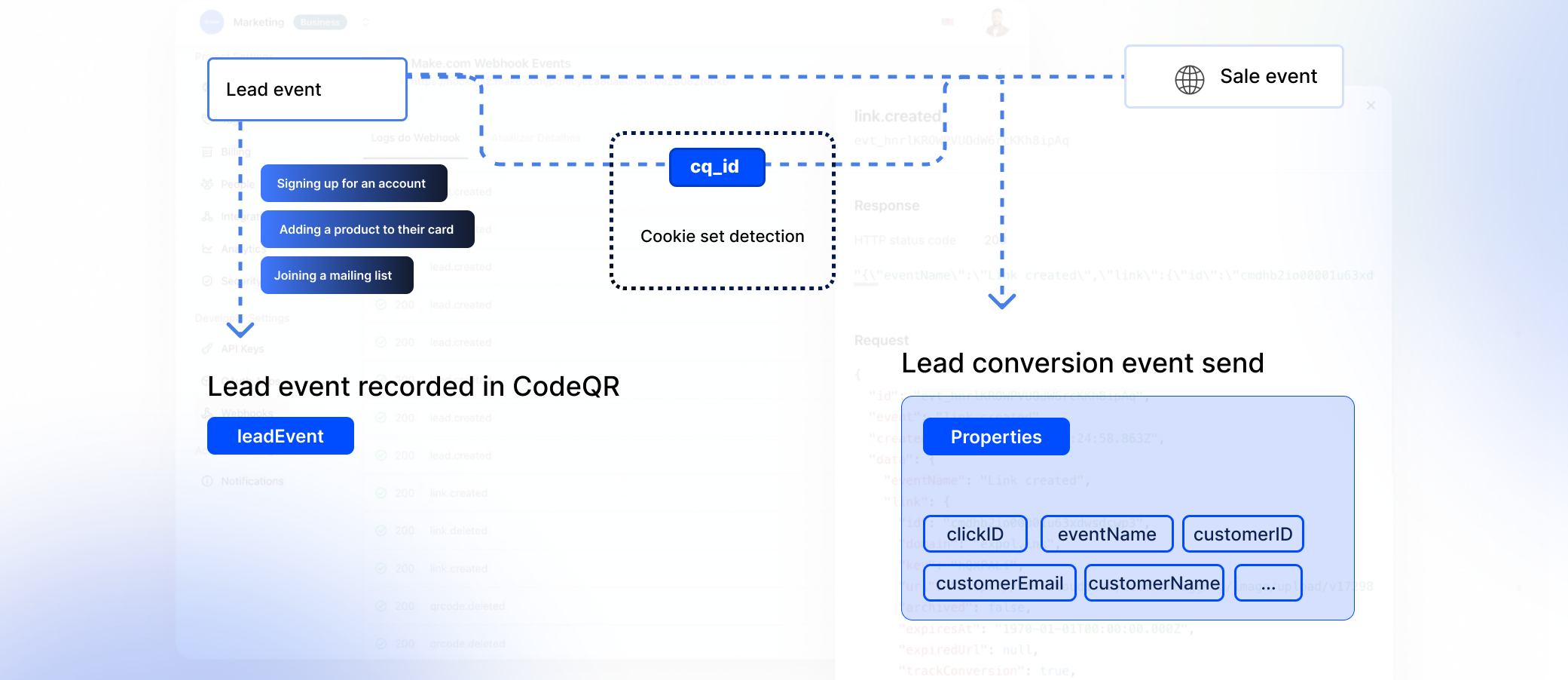 Finally, when the user completes a purchase (e.g. subscribing to a plan, purchasing a product, etc.), you can [track a sale event](/conversions/sales/introduction). Under the hood, CodeQR will automatically attribute the sale to the original link click.