> ## Documentation Index
> Fetch the complete documentation index at: https://docs.codeqr.io/llms.txt
> Use this file to discover all available pages before exploring further.
# Rate limits
> Learn about CodeQR's API rate limits.
CodeQR's API rate limiting is in conformance with the [IETF standard](https://datatracker.ietf.org/doc/html/draft-ietf-httpapi-ratelimit-headers):
| Header Name | Description |
| ----------------------- | --------------------------------------------------------------------------------- |
| `X-RateLimit-Limit` | The maximum number of requests that the consumer is permitted to make per minute. |
| `X-RateLimit-Remaining` | The number of requests remaining in the current rate limit window. |
| `X-RateLimit-Reset` | The time at which the current rate limit window resets in UTC epoch seconds. |
| `Retry-After` | The number of seconds to wait before retrying the request again. |
CodeQR's API is capped at **60 requests per minute** per key on the Free plan, with elevated limits on paid plans (see the table below).
This is implemented to ensure a fair usage policy so that excessive use by a single user does not adversely affect the performance and usage of the API by others.
You'll receive a `429 Too Many Requests` response code if the rate limit is exceeded.
## Rate limits by plan
Depending on your CodeQR plan, you can expect the following rate limits:
| Plan | Rate limit |
| -------------------------------------------------------- | -------------------------------------------------------------------------- |
| Free | 60 requests per minute |
| [Starter](https://codeqr.io/help/article/starter-plan) | 100 requests per minute |
| [Pro](https://codeqr.io/help/article/pro-plan) | 500 requests per minute |
| [Business](https://codeqr.io/help/article/business-plan) | 1,000 requests per minute |
| Scale | 10,000 requests per minute |
| [Enterprise](https://codeqr.io/enterprise) | Custom – [reach out to sales](https://codeqr.io/contact/sales) for details |
## How to comply with rate limits
Here are some tips on how you can optimize your API setup to comply with our rate limits:
### 1. Bulk link creation
If you need to create a lot of links within a short period of time, try our [bulk link creation endpoint](/api-reference/endpoint/bulk-create-links) instead (create up to 100 links in one API call)
```javascript Node.js theme={null}
await codeqr.links.createMany([
{
url: "https://google.com",
},
{
url: "https://twitter.com",
},
{
url: "https://linkedin.com",
},
]);
```
### 2. Fetch project-level analytics
If you're using our [Analytics API](/api-reference/endpoint/retrieve-analytics), instead of retrieving the clicks count for every single link, try making a single API call to get project-level click analytics instead.
```javascript Node.js theme={null}
await codeqr.analytics.retrieve({
groupBy: "top_links",
start: "4 hours ago", // we support natural language for start/end params
});
```
### 3. Leverage webhooks
If you're expecting high volume, fast-changing data (e.g. thousands of clicks on your links per day) and would prefer to store the data on your end, we recommend using our [real-time webhooks feature](https://codeqr.io/blog/introducing-webhooks) instead.
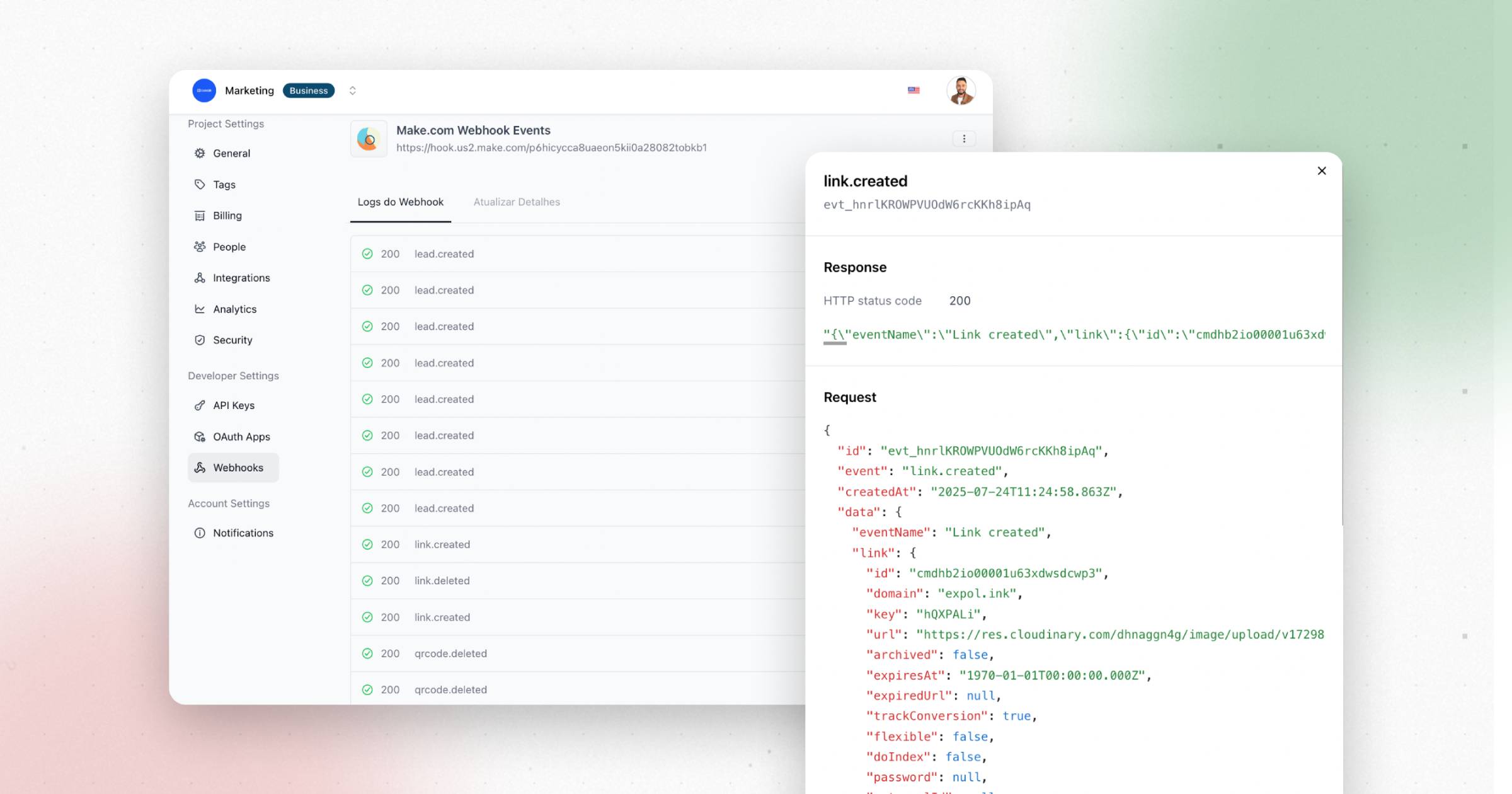 [Webhooks](/concepts/webhooks/introduction) are *push-based*, meaning that CodeQR will send events to your webhook receiver endpoint when specific events occur, while a REST API is *pull-based*, meaning that you need to consistently poll the API endpoint to get real-time updates.
Check out our [webhooks documentation](/concepts/webhooks/introduction) to learn more.
[Webhooks](/concepts/webhooks/introduction) are *push-based*, meaning that CodeQR will send events to your webhook receiver endpoint when specific events occur, while a REST API is *pull-based*, meaning that you need to consistently poll the API endpoint to get real-time updates.
Check out our [webhooks documentation](/concepts/webhooks/introduction) to learn more.